
Power BI Dashboard Case Study
Real business intelligence dashboards we designed and built: marketing performance and revenue operations, with live data connections and automated refresh.
These are real Power BI dashboards from our client reporting work, shown here as examples, not stock templates. Each one connects directly to live data sources, runs on a proper star-schema model with documented DAX measures, and refreshes automatically so the numbers are accurate every morning. This is the kind of business intelligence we deliver: dashboards your team actually opens and makes decisions from.
Dashboards We've Built
Two real dashboards built in Power BI for client reporting, shown as examples, each with live data connections, a documented data model, and automated refresh.
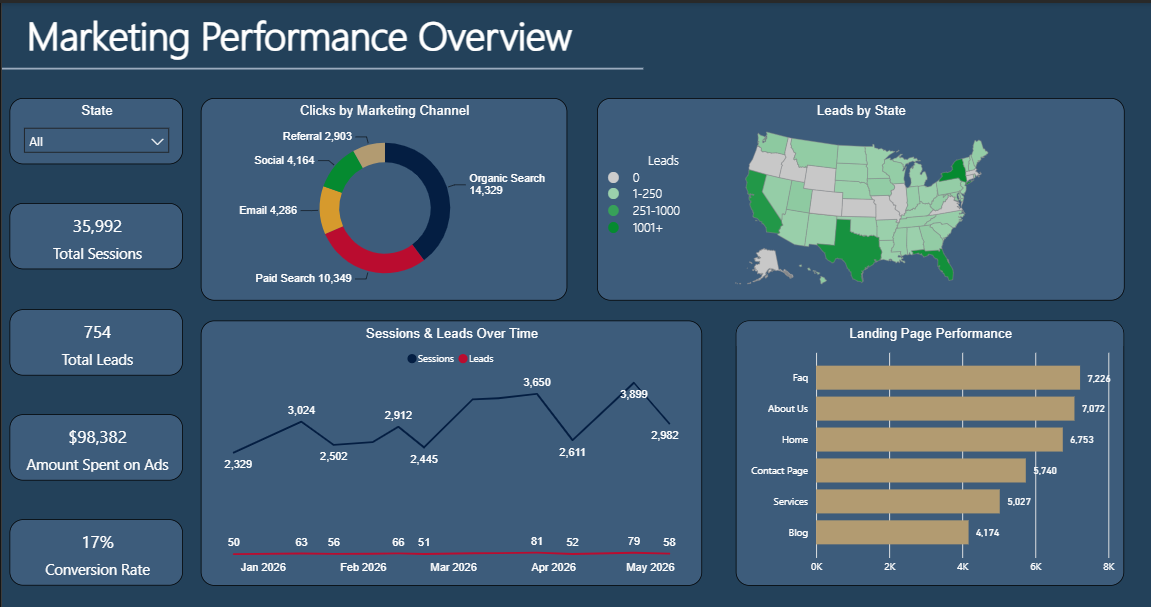
Marketing Performance Overview
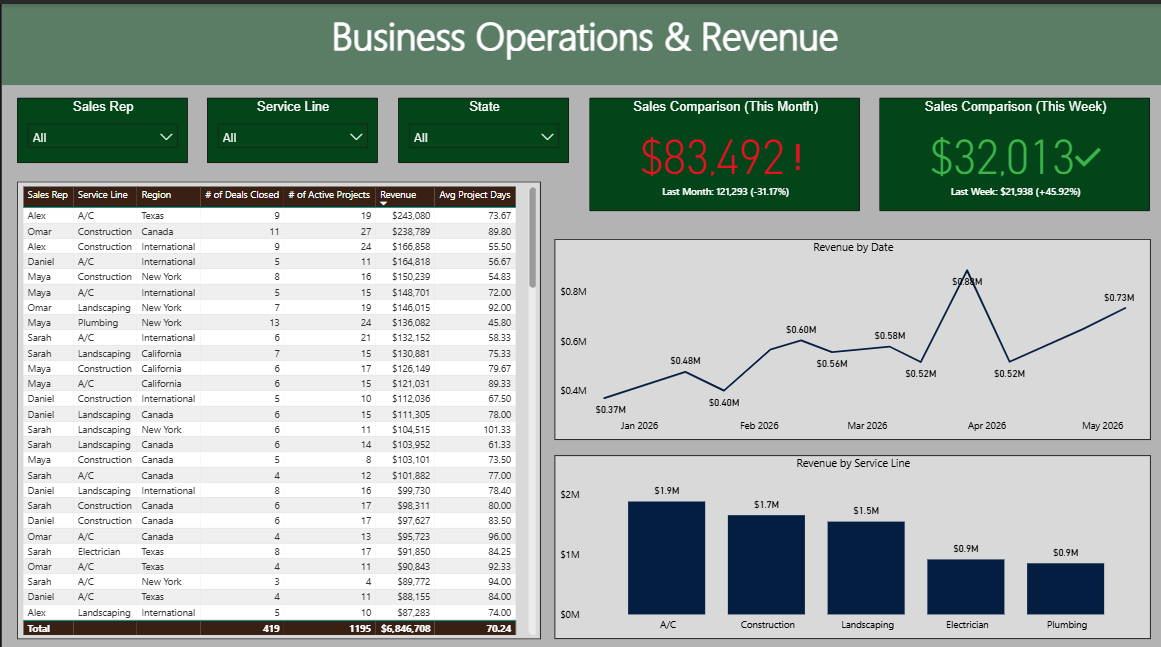
Business Operations & Revenue
What's Inside These Dashboards
Executive KPI Overview
High-level scorecards showing revenue, growth, conversion, and the operational metrics leadership reviews, in one view, no SQL required. Each card is built around a specific decision the business makes.
Live Data Connections
These dashboards connect directly to real sources: SQL databases, CRMs, Google Analytics, and REST APIs. One source of truth, always current, with no exporting or pasting between systems.
Data Modeling & DAX Measures
Behind every visual is a star-schema data model with DAX measures defined precisely and documented, so the numbers stay accurate, queries stay fast, and your team can extend the report without rebuilding it.
Drill-Down & Filtering
Date comparisons, channel and region filters, and drill-down paths let each team move from the executive summary down to the row-level detail behind any number.
Automated Refresh
Power BI Gateway keeps the data current on a schedule, hourly or daily, so reports update themselves and no one has to remember to run anything.
Marketing & Operations Reporting
From marketing performance (channels, leads, landing pages) to revenue operations (sales by rep, service line, monthly trend), we build the reporting each department actually uses.
How We Build Dashboards
Discover
We start with your decisions, not your data. Which KPIs matter, who reads the report, and how often it changes. Getting this right first prevents the rework that kills most dashboard projects.
Model
Before any visuals, we design the data model. A well-structured star-schema model means accurate calculations, fast performance, and a report your team can extend without starting over.
Build
We build incrementally and share work-in-progress versions so you give feedback before final delivery. No surprises at handoff. You watch it take shape.
Refresh & Handoff
We configure automated refresh, document every measure and source connection, and train your team so they own the dashboard going forward.
Deliverables
- Custom multi-page Power BI report
- Star-schema data model & documentation
- DAX measure library with definitions
- Source connections (SQL, CRM, APIs)
- Gateway & scheduled refresh setup
- End-user training & handoff
Technologies
Frequently Asked Questions
Are these real dashboards or templates?
Can you connect Power BI to our data sources?
Do you also build in Tableau or Looker?
How much does a Power BI dashboard cost?
Can the dashboard refresh automatically?
Part of our Analytics & Reporting service
Power BI Dashboard Development
Want a dashboard like these for your business? See our full Power BI development service, from data modeling and DAX to automated refresh and team handoff.
Ready to Build Something Great?
Tell us about your project and we'll get back to you within 24 hours.
Get a Free Consultation